How to automate self-assessment tax returns
 Team Nomi
6 minutes read

Self-assessment involves repetitive work for accountants, from collecting client information and checking records to preparing, approving and submitting tax returns.
Self-assessment tax return automation uses accounting software to reduce this manual work. It can help accountants collect information, bring financial data together, prepare returns, run validation checks, manage approvals and submit to HMRC, while the accountant remains responsible for review and professional judgement.
For practices managing multiple clients, automation can reduce administration and keep returns moving during the busy tax season. This guide explains what can be automated, what to look for in software and how Nomi supports the process.
What is Self Assessment tax return automation?
Self Assessment tax return automation means using software to reduce the amount of manual work involved in preparing and submitting a tax return.
Instead of collecting information through multiple emails, entering figures manually, checking calculations and tracking every client’s progress separately, software can bring these activities into a connected workflow.
For accountants, this can include:
-
- Collecting client information digitally
- Retrieving relevant information from HMRC
- Bringing bookkeeping and financial data into the tax workflow
- Preparing tax return information
- Carrying out validation and error checks
- Sending returns to clients for review and approval
- Managing eSignatures
- Submitting returns to HMRC
- Tracking tasks, deadlines and outstanding work
Automation does not replace the accountant. It removes repetitive administration so accountants can spend more time reviewing information, resolving issues and advising clients.
Why automate Self Assessment tax returns?
As client numbers grow, manual Self Assessment work can mean more data entry, client chasing, spreadsheet management and deadline tracking. Automation reduces this repetitive workload and helps practices manage returns more efficiently.
Key benefits
-
- Less manual data entry: Import or retrieve financial information instead of entering it repeatedly.
- Faster client information collection: Use digital questionnaires and information requests.
- Better workflow visibility: Track missing information, reviews, approvals and submissions.
- Fewer repetitive tasks: Automate routine calculations, processing and validation checks.
- Simpler HMRC submission: Submit returns electronically through HMRC-recognised software.
- More capacity: Reduce administration and manage more Self Assessment work during tax season.
How to automate Self Assessment in an accounting practice
For an accounting practice, Self Assessment automation works best as a connected workflow, from collecting client information through to HMRC submission.
1. Collect client information digitally
Start by sending clients a digital questionnaire or information request. This reduces email chasing and helps identify missing information early.
2. Bring financial and HMRC data together
Import or retrieve relevant bookkeeping, accounts, payroll and HMRC information where supported. This reduces duplicate data entry and keeps the information needed for the return in one workflow.
3. Prepare the Self Assessment return
Use the collected information to prepare the relevant sections of the return. Software can support calculations and routine processing, while the accountant reviews the figures and applies professional judgement.
4. Check and validate the return
Built-in checks can flag missing or inconsistent information before submission, helping accountants identify issues during preparation rather than at the final stage.
5. Send the return for client approval
Once reviewed, send the return to the client digitally for approval. eSignatures and online communication can help reduce delays and avoid unnecessary paperwork.
6. Submit to HMRC
After approval, submit the completed Self Assessment return electronically through HMRC-recognised software.
7. Track outstanding work
Keep track of returns awaiting information, review, approval or submission, along with staff tasks and deadlines.
The result is a connected Self Assessment workflow that reduces repetitive administration while keeping the accountant in control of review and submission
How Nomi automates Self Assessment for accountants
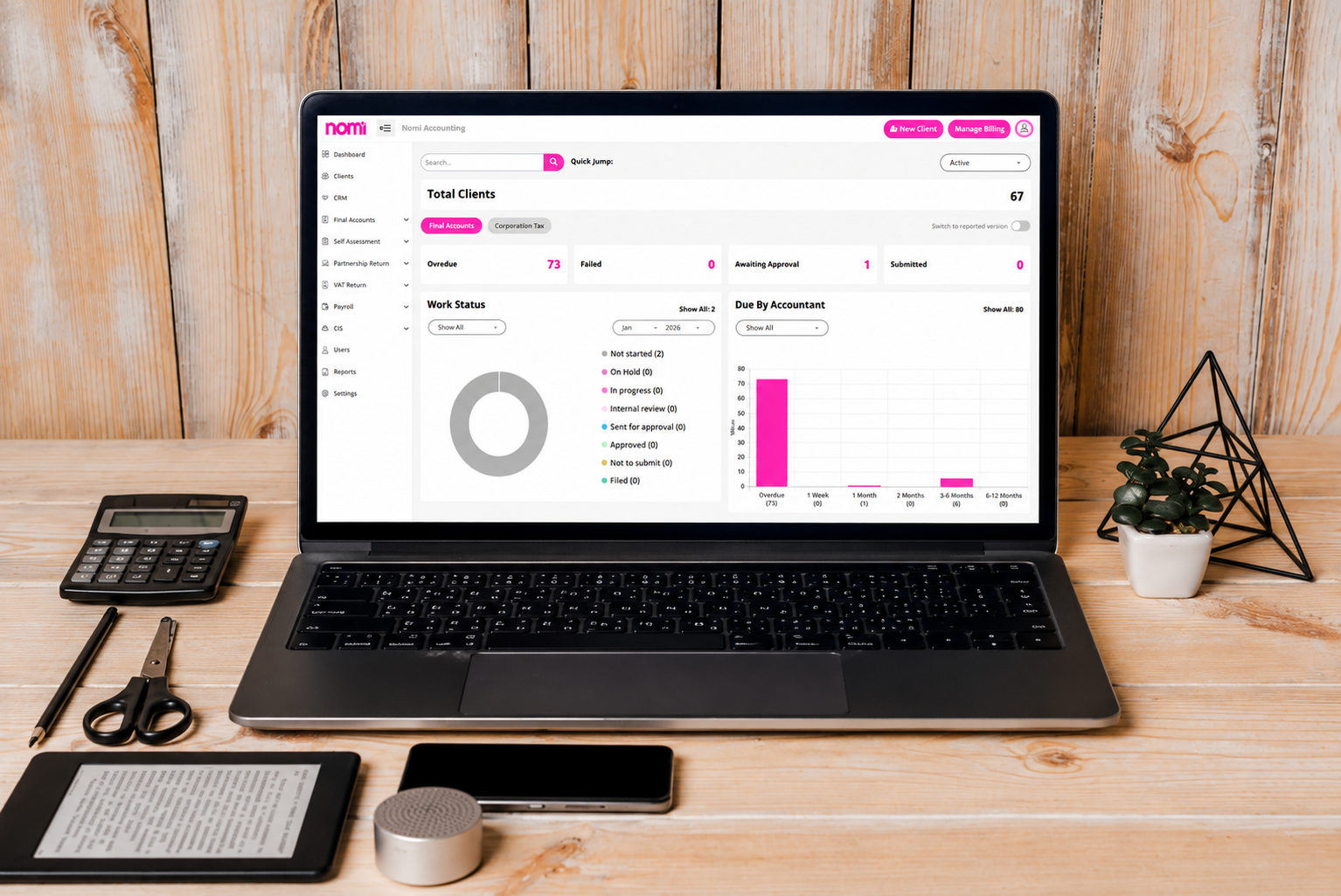
Nomi brings Self Assessment tax returns into one connected accounting practice workflow.
Use the web-based tax questionnaire to collect client information in bulk, reducing time spent chasing emails. Connect bookkeeping, payroll and accounts data, with HMRC data retrieval where applicable.
From tax return preparation and review to client communication, eSignatures and HMRC submission, Nomi keeps the process in one place.
Practice management tools also help accountants manage tasks, staff and Self Assessment work throughout the tax season.
The result is a connected workflow from information collection through to submission, with the accountant remaining in control of the final review.
Self Assessment automation and MTD for Income Tax
Self Assessment and MTD for Income Tax are linked, but they are not the same.
Self Assessment is how individuals and businesses report income and calculate tax for HMRC.
MTD for Income Tax requires qualifying taxpayers to keep digital records and send quarterly updates to HMRC.
Does MTD replace Self Assessment?
No. MTD changes how qualifying taxpayers keep records and report income during the year, but the end-of-year tax process still applies.
For accountants, connected accounting software can help keep records, client information and tax reporting together, reducing duplicate work.
Ready to reduce the manual work behind Self Assessment?
Self Assessment season does not have to mean chasing emails, updating spreadsheets and moving information between disconnected systems.
Nomi brings accounting, tax and practice workflows together so accountants can manage Self Assessment work from client information collection through to HMRC submission.
See how Nomi can help your practice automate Self Assessment and manage tax work in one platform.
Frequently asked questions
1. Can accountants automate Self Assessment tax returns?
Yes. Accountants can automate many repetitive parts of the Self Assessment workflow, including client information collection, data retrieval, calculations, validation, client approval, task management and electronic submission. The accountant should still review the return before submission.
2. Can Self Assessment software submit returns to HMRC?
Yes. HMRC-recognised software can support electronic submission of Self Assessment returns to HMRC, subject to the relevant software capabilities and filing requirements.
3. What is the difference between Self Assessment and MTD for Income Tax?
Self Assessment is HMRC’s system for reporting certain income and calculating tax liabilities. MTD for Income Tax introduces digital record keeping and quarterly updates for qualifying individuals. MTD does not simply mean that Self Assessment has been replaced.
4. What should accountants look for in Self Assessment software?
Look for HMRC-recognised software with client information collection, HMRC data integration, bookkeeping and accounts integration, tax calculations, validation, client approval, eSignatures, direct submission and multi-client workflow management.
5. Can Nomi automate Self Assessment?
Nomi supports accountants with Self Assessment information collection, HMRC data retrieval, connected bookkeeping and accounts workflows, tax preparation, client communication, eSignatures, direct HMRC submission and practice task management.
Want to find out more?
Book a free 30-day trial and see how our accounting software can help you manage staff, increase profitability and take your practice to the next level.

Quarterly business review template for accountants and their clients
A quarterly business review (QBR) helps accountants and clients review financial performance, assess business goals...
Read More

Month-end close checklist: How Automation cuts hours for UK SMEs
Month-end close can take days when finance teams have to chase invoices, enter transactions, reconcile...
Read More

How to Apply for VAT Exemption in the UK
To apply for VAT exemption in the UK, your business must meet HMRC’s conditions and...
Read More
What accountants should actually look for in practice management software
As an accounting practice grows, managing the work around accounting can become as challenging as...
Read More