
How to switch accounting software without losing your data
 Team Nomi
6 minutes read
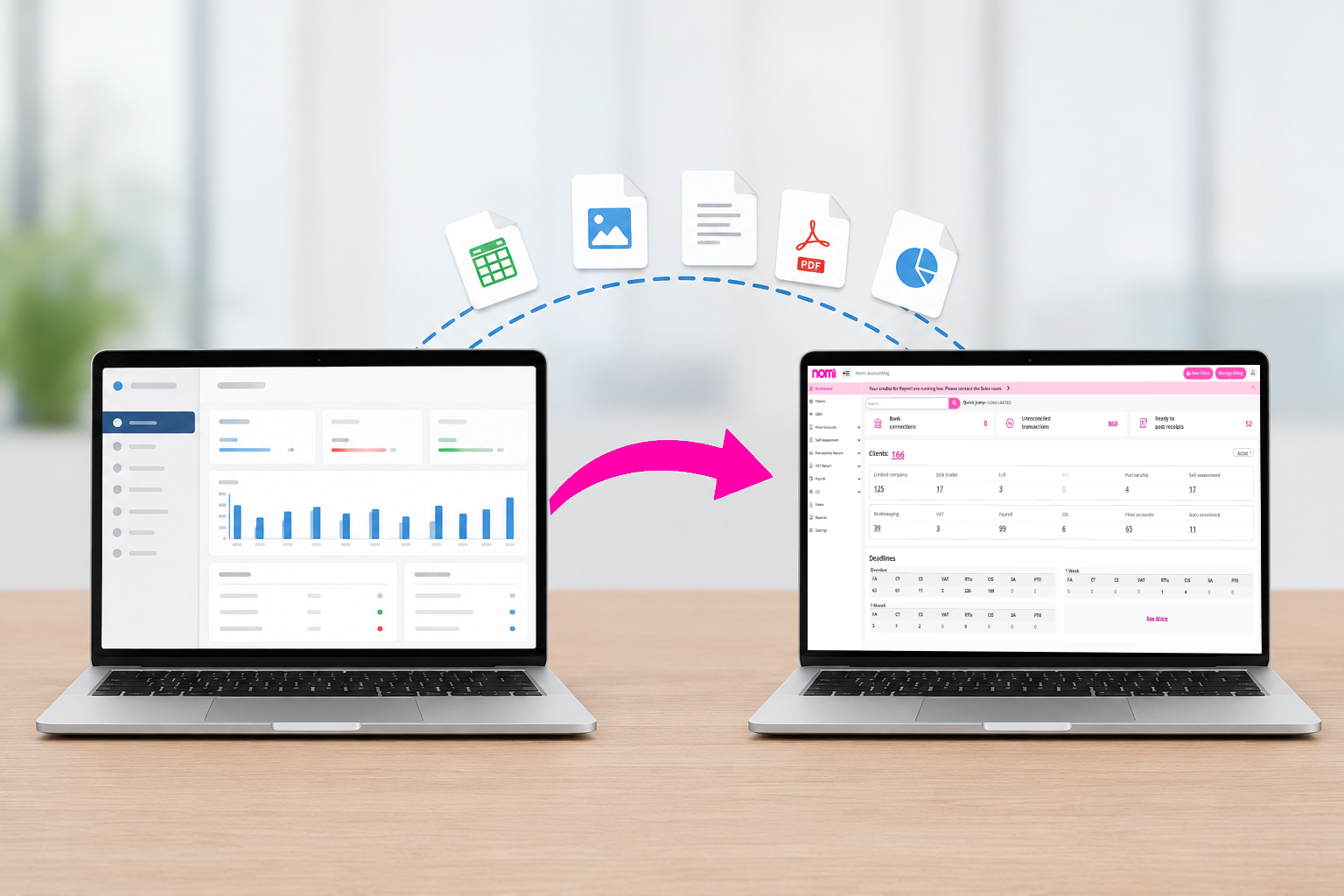
To switch accounting software safely, back up your data, clean your client and practice data, migrate your financial information where possible, test the new software, and check that all data has transferred correctly before you start using it.
Many accountancy practices delay changing software because they worry about losing client data or disrupting their work. With the right planning, you can switch accounting software safely and move to a system that better supports your practice without putting valuable client information at risk.
Signs it’s time to switch accounting software
As your client base grows, your software should make work easier, not create more admin. Many practices continue using outdated systems simply because they have used them for years. However, staying with software that no longer meets your needs often leads to higher costs and lower productivity.
It may be time to switch accounting software if your practice is facing any of these problems:
-
- You use different systems for bookkeeping, payroll, accounts production and tax.
- Your team spends hours entering the same data into multiple applications.
- Software costs continue to increase every year.
- Client information is stored across different platforms.
- Your software struggles to keep up with Making Tax Digital requirements.
- Reporting takes longer than it should.
- Your current provider is slow to release new features.
Many firms continue working around these issues because changing software feels like a risk. In reality, staying with software that limits your practice can become the bigger risk as your client list grows.
Prepare your practice before you switch accounting software
The success of any migration starts with preparation. Before you switch accounting software, review the data you want to transfer and decide which records are still needed.
This is also a good opportunity to tidy up your client database. Remove duplicate records, archive inactive clients and check that important information is accurate.
Depending on your existing and new software, you may need to migrate or recreate:
-
- Client details
- Chart of accounts
- Bookkeeping records
- VAT information
- Payroll data
- Corporation Tax records
- Accounts production
- Self Assessment information
- Outstanding invoices and bills
- Historical financial data
Before starting the migration, always create a secure backup of your existing system. Even when your software provider offers migration support, having your own backup gives additional peace of mind.
It is also worth planning the timing of your move. Many practices choose to migrate after filing deadlines or during quieter periods to reduce disruption for both staff and clients.
How to move client data safely
Moving to new software is more than simply importing spreadsheets. Your client records need to remain complete and accurate so your practice can continue working without interruption.
After importing your data, compare the information with your previous system. Check client balances, VAT records, accounts, payroll information and financial reports to make sure everything matches.
Before fully moving across, test the software using real practice tasks such as:
-
- Compare trial balances and client balances
- Check VAT figures and filing history
- Check opening balances
- Compare outstanding invoices and bills
- Review payroll information
- Run reports in both systems and investigate discrepancies.
Testing your daily workflow helps identify any issues before the software is used across your entire practice.
A successful migration is not about moving data quickly; it is about making sure your team can continue working confidently from day one.
Why more firms are switching to Nomi
When practices decide to switch accounting software, they are often looking for more than another bookkeeping package. They want one platform that supports the whole practice.
That is why more firms are choosing to switch to Nomi.
Instead of relying on multiple providers, Nomi brings together the tools accountants use every day, including:
-
- Bookkeeping
- Accounts Production
- Corporation Tax
- Self Assessment
- Payroll
- Practice Management
- Company Secretarial
- Client Portal
- Bank Feeds
- WhatsApp Receipt Capture
- Making Tax Digital support
Having everything connected means your team spends less time transferring information between different systems and more time delivering work for clients.
As your practice grows, having one connected platform can also make onboarding new staff and managing clients much easier.
For firms looking to reduce software costs while improving efficiency, Switch to Nomi offers an opportunity to replace several subscriptions with one integrated solution.
Don’t let outdated software hold your practice back
Many accountancy firms delay changing software because they believe migration will be difficult. In most cases, careful planning and the right software provider make the process far simpler than expected.
The longer you continue using software that no longer meets your firm’s needs, the more time your team spends on manual work, duplicate data entry and unnecessary administration. Meanwhile, competitors using modern cloud accounting platforms are able to work more efficiently and provide a better client experience.
If you’ve already been thinking about making a change, now could be the right time to switch accounting software before another busy filing season begins.
Frequently Asked Questions
- How can I switch accounting software without losing client data?
You can switch accounting software safely by backing up your existing data, cleaning up client records, and checking that all financial information has been transferred correctly before you start using the new system. Testing key tasks after migration also helps ensure everything is working as expected.
- When is the best time to switch accounting software?
The best time to switch accounting software is after major filing deadlines, at the end of a VAT period, or during a quieter time for your practice. This gives your team enough time to complete the migration and become familiar with the new software without affecting client work.
- What data should an accountancy practice transfer to new software?
Most accountancy practices should transfer client details, bookkeeping records, accounts production data, VAT records, payroll information, corporation tax data, self-assessment records, bank balances, and historical transactions where possible.
- Why do accounting firms switch to Nomi?
Many firms switch to Nomi because it brings bookkeeping, accounts production, payroll, corporation tax, self-assessment, practice management, bank feeds, and client communication together in one platform. This reduces the need for multiple software subscriptions and helps practices work more efficiently.
- Is it worth switching accounting software for a growing practice?
Yes. As your client base grows, your software should support your practice rather than slow it down. Choosing to switch accounting software can help reduce manual work, improve collaboration, lower software costs, and give your team the tools they need to manage clients more effectively.
Want to find out more?
Book a free 30-day trial and see how our accounting software can help you manage staff, increase profitability and take your practice to the next level.

How to File Confirmation Statement with Companies House – [2026 Updated]
The Confirmation Statement is an important annual filing requirement for all UK limited companies and...
Read More

How to Find a VAT Number by Company Name
Value Added Tax (VAT) is a consumption tax charged on most goods and services in...
Read More
How to File Final Accounts to HMRC and Companies House
Final accounts are an important part of a company’s financial reporting process, providing a clear...
Read More