
How to Convert PDF to CSV for Accounting
 Team Nomi
5 minutes read
Bank statements are often supplied as PDF files, but most accounting software works best with CSV files. You can convert a PDF to CSV using a converter that extracts the transaction data and creates a CSV file ready for import into your accounting software.
Whether you’re importing bank transactions, reconciling accounts or reducing manual data entry, converting PDF files into CSV format can save time and improve accuracy.
What is a PDF to CSV converter?
A PDF to CSV converter is a tool that extracts data from a PDF document and converts it into a CSV (Comma-Separated Values) file.
For accountants and bookkeepers, this is most commonly used to convert bank statements into a format that can be imported into accounting software instead of manually typing every transaction.
Why convert a PDF to CSV?
There are several reasons why accountants choose to convert PDF files into CSV format.
Save time
Manually entering hundreds of transactions takes time. A converter can process the information automatically, reducing repetitive work.
Reduce manual errors
Copying figures by hand increases the chance of mistakes. Converting directly from PDF helps keep transaction data more accurate.
Easier bank reconciliation
CSV files can usually be imported into accounting software, making it easier to match transactions during bank reconciliation.
Better data analysis
CSV files can be opened in spreadsheet software, allowing you to sort, filter, and analyse financial data more easily.
How do you convert a PDF to CSV?
The exact process depends on the software you use, but it usually follows these steps:
- Upload your PDF bank statement.
- The converter extracts the transaction data.
- Review the information if required.
- Download the converted CSV file.
- Import the CSV into your accounting software.
The process takes only a few moments with the right tool, compared with manually entering each transaction.
Can every PDF be converted?
Most digital bank statements can be converted successfully.
However, results may vary if the PDF:
-
- is a scanned image rather than a digital document
- contains handwritten information
- has poor image quality
- uses an unusual layout
Modern conversion tools are designed to recognise different bank statement formats, although reviewing the final CSV before importing is always recommended.
Why do accountants use PDF to CSV converters?
Many bookkeeping and accounting tasks involve importing transaction data.
Instead of manually recreating bank statements, accountants convert PDFs into CSV files so they can:
-
- import transactions more quickly
- complete reconciliations faster
- keep consistent digital records
- spend more time reviewing finances rather than entering data
For firms handling multiple clients, this can save significant time throughout the month.
What should you look for in a PDF to CSV converter?
When choosing a converter, consider whether it offers:
-
- Fast conversion
- Accurate transaction extraction
- Easy file upload
- Simple CSV download
- Compatibility with accounting software
- Secure handling of financial documents
These features help make the conversion process quicker and more reliable.
Does Nomi offer a PDF to CSV converter?
Yes. Nomi includes a PDF to CSV converter designed for accountants and bookkeepers who regularly import bank statements.
Some of its features include:
-
- Conversion in under 20 seconds
- Up to 99% table extraction accuracy
- Simple drag-and-drop upload
- One-click conversion
- AI-assisted data extraction
- CSV output ready for use in your accounting workflow
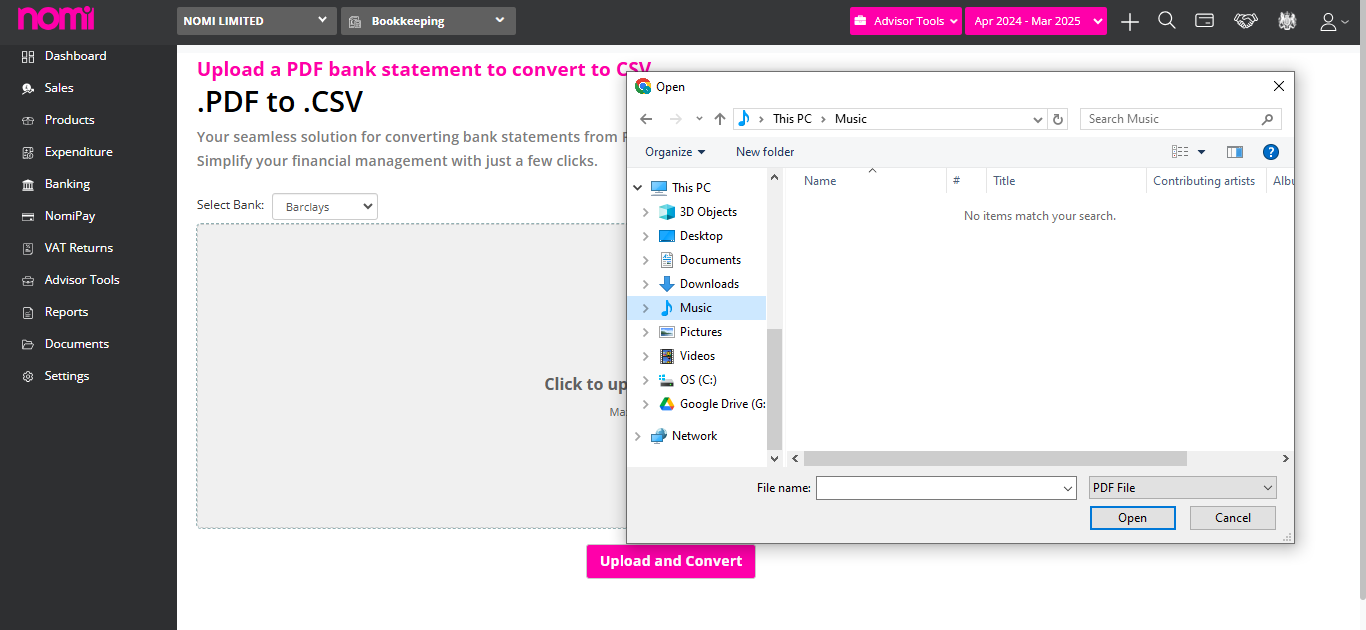
How do you use Nomi’s PDF to CSV converter?
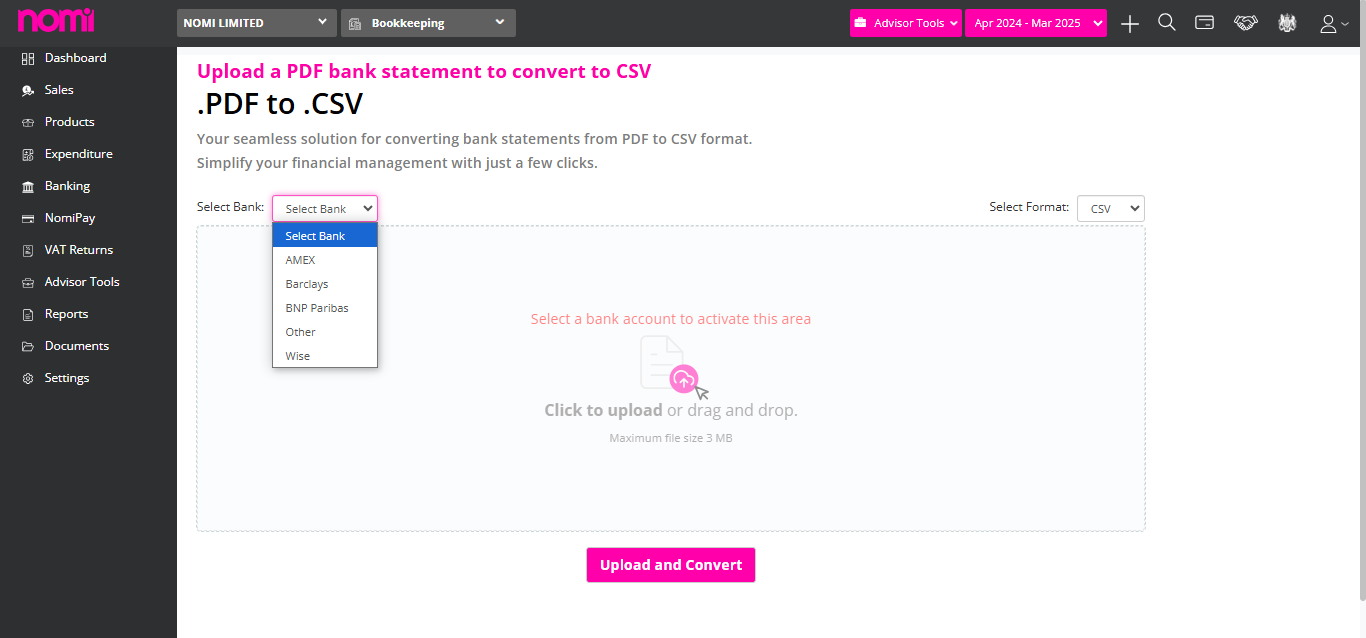
- Create a Bank Account: Start by setting up your Nomi account to access the converter.

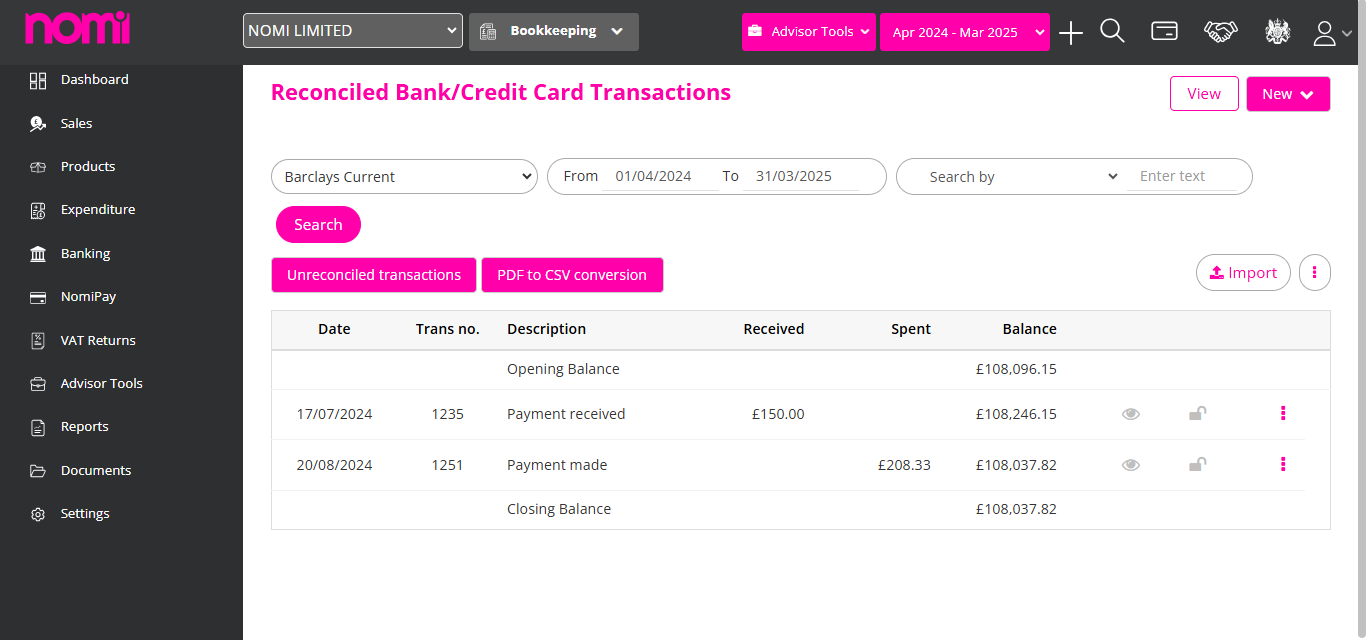
- Click on PDF to CSV Converter: Navigate to the converter tool on the Nomi platform.

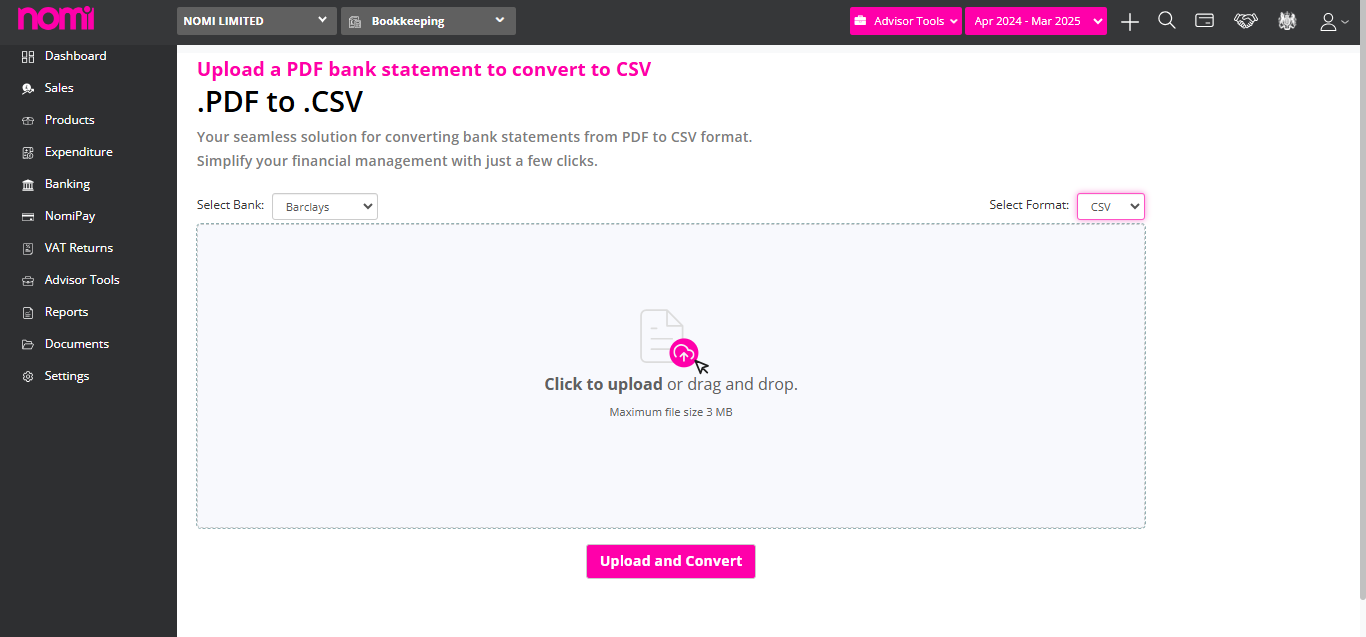
- Drag & Drop Files: Simply drag your PDF files into the designated area for conversion.


- Save in System: Once converted, download the CSV file and save it to your computer.
- Upload in Software: Finally, upload the CSV file into your preferred accounting or data management software for further use.
Conclusion
Converting PDF bank statements into CSV files helps accountants and bookkeepers reduce manual work, minimise errors and prepare transaction data for import into accounting software.
If you regularly receive bank statements as PDFs, using a dedicated PDF to CSV converter can make your bookkeeping process much more efficient.
If you want to utilise the feature of Nomi’s PDF to CSV converter, then use Nomi’s accounting software now. Experience the improved features of Nomi’s accounting software to take your accounting tasks to the next level. Get a free trial to see how it can transform your accounting practice.
Frequently Asked Questions
1. Can I convert a bank statement PDF to CSV?
Ans. Yes. Most digital bank statement PDFs can be converted into CSV format using a PDF to CSV converter.
2. Why is CSV better than PDF for accounting?
Ans. CSV files are structured for importing into accounting software and spreadsheets, making reconciliation and analysis much easier.
3. Is it better to enter transactions manually?
Ans. For a small number of transactions, manual entry may be manageable. However, converting PDFs to CSV is usually faster and helps reduce errors when working with larger statements.
4. Can I import a CSV into accounting software?
Ans. Most accounting software supports CSV imports for bank transactions, although the exact format may vary between platforms.
Want to find out more?
Book a free 30-day trial and see how our accounting software can help you manage staff, increase profitability and take your practice to the next level.
Why Choose HMRC-Recognised Self Assessment Software for Accountants?
Managing Self Assessment tax returns can be challenging, especially for accountants handling multiple clients and...
Read More

How to go paperless in your accounting practice
The accounting industry has changed significantly over the past few years. With cloud technology, digital...
Read More

How Can Company Secretarial Software Help Accountants
Managing company secretarial tasks across multiple clients can be time-consuming. Company secretarial software helps accountants...
Read More