Tax Practice Management Software: Features & Benefits
 Team Nomi
8 minutes read
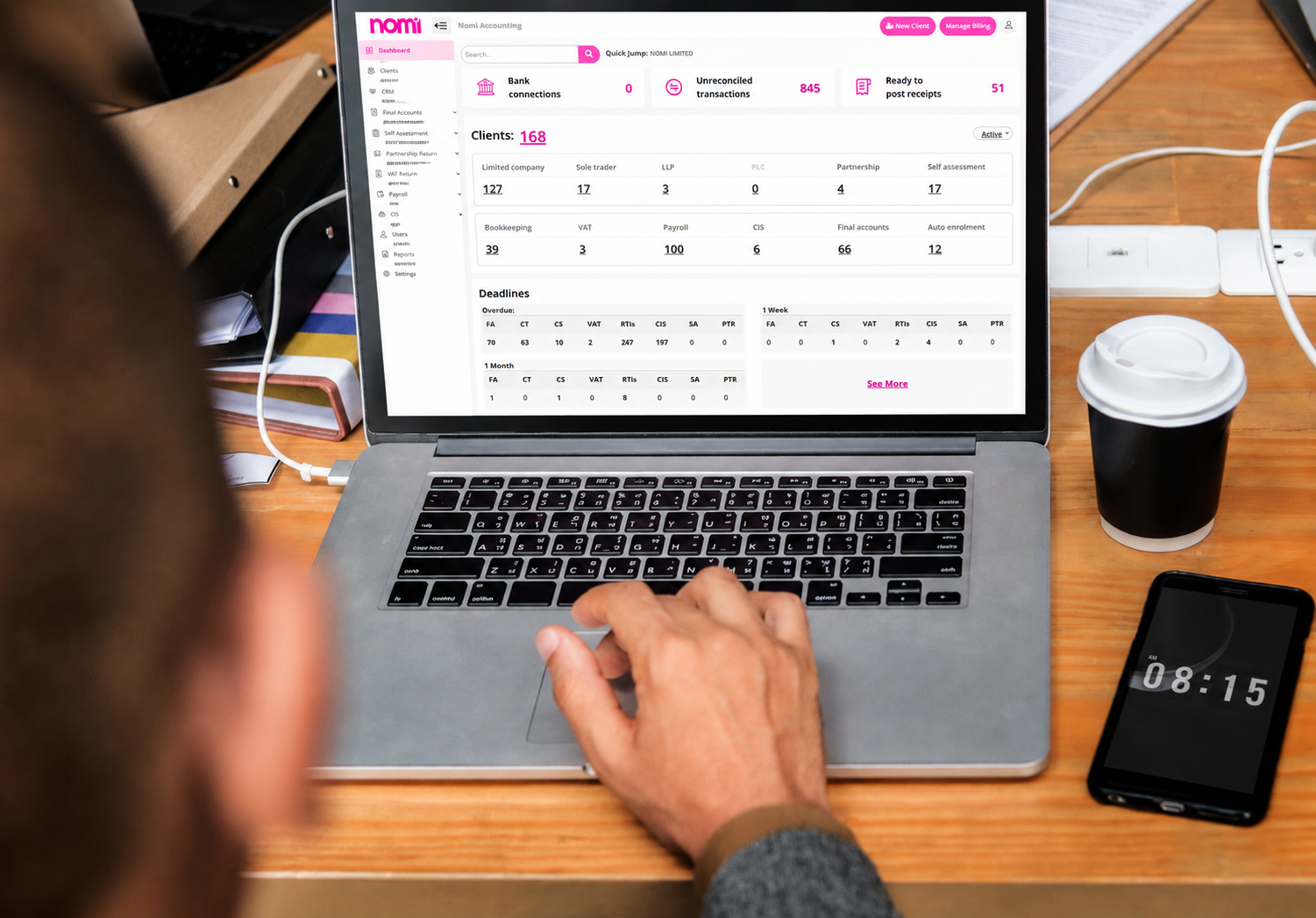
Practice management software helps accounting firms manage clients, tasks, deadlines, documents and daily workflows in one place.
Instead of relying on spreadsheets, emails and separate systems, firms can use one platform to organise work and track what needs to be done. This makes it easier to manage client information, assign tasks, monitor progress and keep important deadlines on track.
As an accounting practice grows, having a clear workflow becomes even more important. The right practice management software should fit the way the firm works and support its team, clients and services.
What is Practice Management Software?
Practice management software helps accounting firms and bookkeepers manage the daily activities involved in running their practice.
Instead of keeping client details in one system, tasks in spreadsheets and deadlines in calendars, firms can manage these activities from one platform.
Depending on the software, firms can use it to:
-
- Manage client information
- Assign tasks to staff
- Track deadlines
- Manage client documents
- Organise client onboarding
- Monitor staff workloads
- Manage client communication
- Track work progress
- Create repeatable workflows
- Review practice activity
Practice management software focuses on organising the people, tasks, documents and processes behind an accounting firm’s services. It helps teams manage their work from client onboarding through to service delivery and ongoing compliance.
For example, Nomi’s practice management software allows accounting practices to manage client onboarding, tasks, deadlines, documents and staff workloads. It also connects deadlines across its modules, giving firms a central view of the work that needs to be completed.
How does Practice Management Software help Accounting Firms?
Accounting firms often manage multiple clients at the same time. Each client may require different services, documents, deadlines and follow-ups.
Managing all this work manually can make it harder to see what needs attention. Practice management software gives teams a central place to organise and track their work.
Manage client information
A central client record allows staff to find important information without searching through different spreadsheets, emails or files.
This makes everyday tasks easier and gives team members a clearer view of each client’s services and outstanding work.
Nomi supports client onboarding for different business types, including limited companies, LLPs, PLCs, sole traders and partnerships. Firms can also assign services based on each client’s requirements.
Assign and track tasks
Accounting work often involves several members of a team. One person may collect information, another may prepare the work and another may review it.
Practice management software allows firms to assign tasks to specific team members and track their progress.
For example, Nomi lets firms assign tasks and deadlines to staff and update task statuses, such as In Progress or With Client.
This makes it easier for managers to see what is complete, what remains outstanding and where work may be delayed.
Track important deadlines
Accounting firms manage deadlines throughout the year, including bookkeeping schedules, payroll processing, tax submissions and annual accounts.
Keeping track of these dates manually can take time and increase the risk of missed work.
Practice management software can bring deadlines into one central view, helping teams plan their workload and prioritise tasks.
Nomi can generate tasks and deadlines based on client details. Its compliance tasks can also generate the next deadline when work is completed, helping teams manage recurring work.
Manage client documents
Missing documents can delay accounting work and create additional follow-up tasks for staff.
Document management tools help firms keep client records and documents organised. Some systems also allow firms to request information and share documents through client portals.
This means staff spend less time searching through emails and folders for the information they need.
Improve client onboarding
Client onboarding involves several steps, from collecting client details to completing checks and setting up services.
Practice management software can give staff a clear process to follow for each new client. This helps firms collect the necessary information and keep onboarding activities organised.
Nomi’s CRM and onboarding tools support digital onboarding, client information collection, AML checks and agent authorisation processes.
Manage Staff Workloads
Managers need to know who is working on each client and whether staff have capacity for additional work.
A central system can show assigned tasks and their progress. This helps managers allocate work, identify delays and understand how workloads are distributed across the team.
It can also make it easier to prioritise urgent tasks and plan work during busy periods.
Practice Management Software for tax firms
Practice management software for tax firms should support the full client workflow, not just individual tasks.
A tax practice may need to manage:
-
- New client enquiries
- Client onboarding
- Information collection
- Document requests
- Tax work
- Reviews
- Client approvals
- Filing deadlines
- Follow-up tasks
- Recurring compliance work
The software should make these processes easier to manage without creating more administration.
For example, Nomi allows firms to assign tasks and deadlines to staff, track progress and manage client deadlines across its platform. It also supports automated record requests based on deadlines, which can reduce the need for manual follow-ups.
When choosing practice management software for tax firms, consider how well it fits your existing workflow. A system should help your team work more consistently rather than force you to create complicated new processes.
How to choose the Best Practice Management Software
The best practice management software is not necessarily the system with the longest feature list. It should suit your firm’s size, services, budget and way of working.
Consider the following before making a decision.
| What to consider | Why it matters |
| Client management | Keeps client information organised |
| Task management | Helps staff manage assigned work |
| Deadline tracking | Makes important dates easier to monitor |
| Document management | Makes client files easier to manage |
| Client onboarding | Creates a consistent process for new clients |
| Staff management | Helps managers allocate and monitor work |
| Communication | Keeps client interactions organised |
| Reporting | Gives managers visibility of practice activity |
| Integrations | Helps different systems work together |
| Pricing | Keeps software costs within your budget |
| Scalability | Allows the software to support practice growth |
It is also important to consider how easy the software is to use. A system may offer many features, but those features have limited value if staff struggle to use them.
Nomi takes an all-in-one approach by combining practice management with bookkeeping, payroll, Final Accounts, Self Assessment and other accounting functions. This can suit firms that want different areas of client work within one cloud-based platform.
How Practice Management Software helps during busy periods
Accounting firms can experience increased workloads during tax season, payroll deadlines, year-end accounts preparation and other busy periods.
Staff may need to handle more client requests, collect documents, complete accounting work and meet several deadlines at the same time.
Practice management software can help firms:
-
- View upcoming deadlines
- Assign work to staff
- Track outstanding tasks
- Request missing documents
- Monitor client progress
- Manage staff workloads
- Organise client information
- Follow up with clients
- Track completed work
Nomi’s practice management tools can generate deadlines and tasks from client details and allow staff to update task progress. Its automated record requests can also help firms collect information based on deadlines.
By keeping tasks and deadlines organised, firms can gain better visibility of their workload and manage client work more consistently throughout the year.
Conclusion
Practice management software helps accounting firms organise clients, tasks, documents, deadlines and staff workloads in one place. It can reduce manual administration and give managers a clearer view of work across the practice.
When comparing practice management software, focus on the features that match your workflow. Consider task management, deadline tracking, client onboarding, document management, communication, reporting and integrations.
Try Nomi free for 30 days and see how its practice management tools can fit your accounting practice.
Frequently asked questions
- What does practice management software do for tax firms?
Ans: It helps tax firms organise client work, assign tasks, track deadlines, manage documents and monitor progress across the practice.
- Can small tax firms use practice management software?
Ans: Small firms can use it to organise client work, manage deadlines, assign tasks and create clear workflows as they grow.
- Is accounting project management software the same as practice management software?
Ans: Project management focuses on projects and tasks, while practice management can cover wider client, deadline and workflow needs.
- Can practice management software help during tax season?
Ans: It can help firms track deadlines, assign work, manage documents, follow up with clients and monitor outstanding tasks.
- Does practice management software replace tax software?
Ans: Practice management software manages client work and practice workflows, while tax software handles tax calculations, returns and related filing work.
- What features should tax firms look for?
Ans: Tax firms should consider client management, task tracking, deadline management, document storage, onboarding, workload management, communication, reporting and integrations.
Want to find out more?
Book a free 30-day trial and see how our accounting software can help you manage staff, increase profitability and take your practice to the next level.

Quarterly business review template for accountants and their clients
A quarterly business review (QBR) helps accountants and clients review financial performance, assess business goals...
Read More

Month-end close checklist: How Automation cuts hours for UK SMEs
Month-end close can take days when finance teams have to chase invoices, enter transactions, reconcile...
Read More

How to Apply for VAT Exemption in the UK
To apply for VAT exemption in the UK, your business must meet HMRC’s conditions and...
Read More
What accountants should actually look for in practice management software
As an accounting practice grows, managing the work around accounting can become as challenging as...
Read More